For cleaning business owners with 6–20 employees who are still taking every new lead over the phone — and losing the ones that call after hours.
A customer finds you on Google at 9pm on a Friday. They want a quote for a move-out clean, they want it now, and your office closed six hours ago.
They don't leave a voicemail. They open the next tab, find a competitor with a "Book Now" button, and by the time you're back at your desk Monday morning, that job — and that customer — belongs to someone else.
That's not a scheduling problem. That's a lead generation problem wearing a scheduling costume.
Why Online Booking Is a Growth Channel, Not Just a Convenience
Most owners think about online booking as a nice-to-have for existing customers — a way to save the office a phone call. That's true, but it undersells it.
The bigger opportunity is upstream: every hour your business is closed is an hour a prospective customer is either waiting on you or finding someone else. A form that's open 24/7 doesn't just save time. It captures leads your competitors are catching instead.
This is the same logic behind why a Google Business Profile with instant booking outperforms one that just lists a phone number. The business that removes the most friction between "I need this" and "it's booked" wins the lead — not necessarily the business that does the best work.
Think about where the link actually goes: your Google Business Profile, your Instagram bio, the signature on every quote email, a QR code on a yard sign or vehicle wrap. Every one of those is a moment someone is already thinking about hiring a cleaner. Right now, most of those moments dead-end at a phone number they have to remember to call later — and "later" is where leads go to die.
Taylor, owner of CAP Cleaning Co., builds this straight into her routine:
"I will often end my night by engaging with and posting in local Facebook groups. There I will include my Allison lead form link, and oftentimes I will wake up in the morning to 4 or 5 new leads looking to get scheduled. It works while I'm sleeping."
That's the whole pitch in one sentence. She's not online at 11pm answering messages — she posted once, and the form did the rest overnight.
How Easy It Actually Is for the Customer
Allison's Online Scheduling Form walks a customer through booking a cleaning in seven steps: address, pets, preferred date and arrival window, service and add-ons, notes, contact info, and payment method.
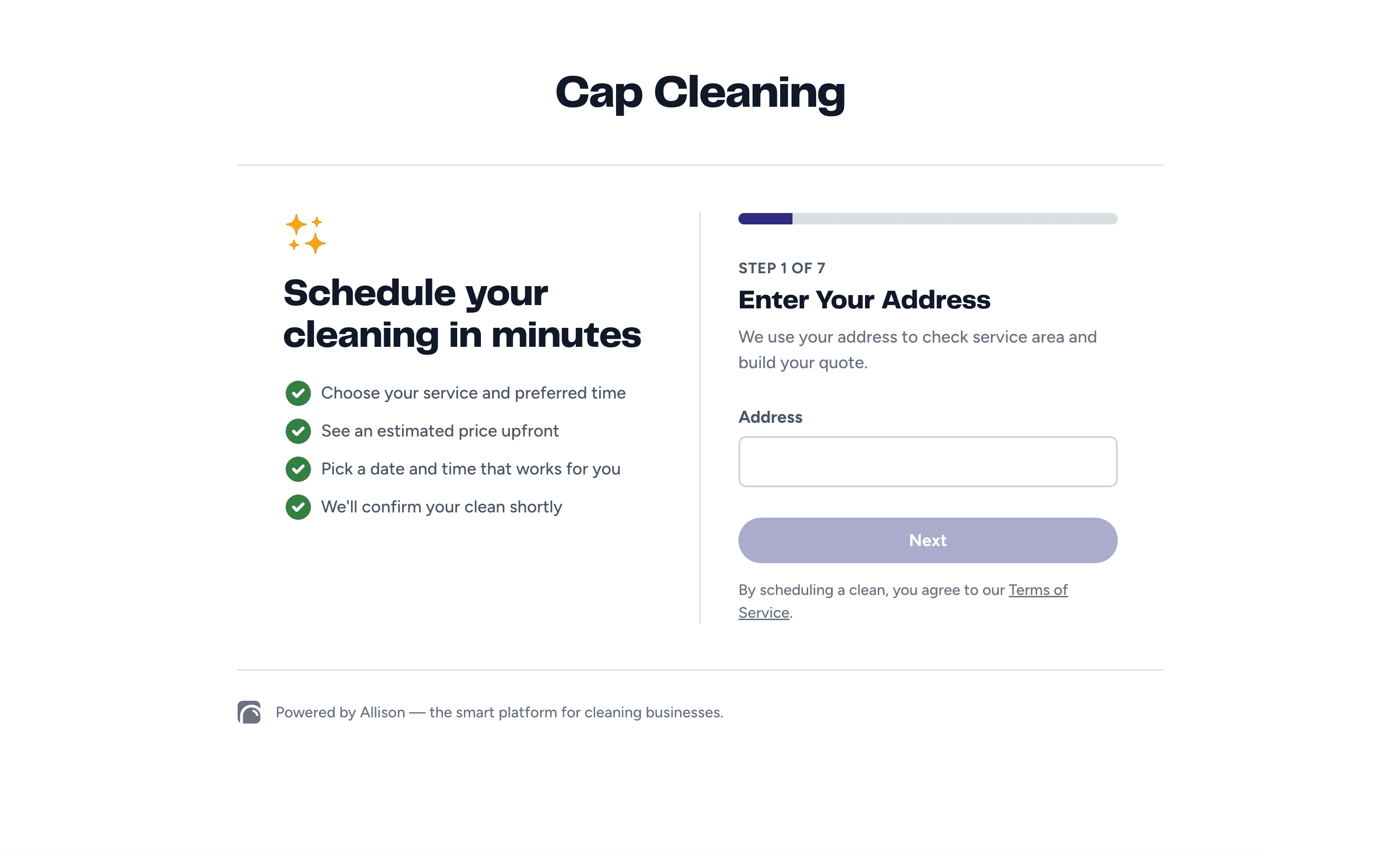
No phone tag. No "let me check the calendar and call you back." They finish the form on their own time, on their own phone, and they're done in a couple of minutes.
Two Ways to Capture a Lead — Pick the One That Fits
Allison gives you two forms, not one, because not every business wants to hand over the whole booking flow.
The Request a Quote Form is short — property and contact details only. Good if you want to personally qualify and quote every lead before anything gets scheduled.
The Online Scheduling Form is the full flow this article is about — service selection, add-ons, date and time, preferred cleaner, and payment, all in one sitting. Good if you'd rather reduce friction and let the customer book themselves.
You're not locked into one. Plenty of businesses run both — the full scheduling form on the homepage and booking pages, the shorter quote form for cases where they want more control, like commercial inquiries.
It Gives an Instant Quote — With Add-Ons
This is the piece that actually moves leads to bookings: customers see an estimated price before they submit anything.
Once they pick a service, they can add on the extras you offer — inside the fridge, interior windows, inside the oven, whatever you've turned on — and watch the price update in real time, including any frequency discounts.
That matters more than it sounds like it should. A customer who has to wait for a callback to find out what something costs has time to talk themselves out of it, or call someone else in the meantime. A customer looking at a real number, for the exact job they configured, is a lot closer to done.
You control exactly what's available to book online. Every service and every add-on has its own online-booking toggle — nothing shows up on the form unless you've turned it on. If you've got an add-on you only want to offer in person, it just stays off.
Card on File: Required, Optional, or Hidden — Your Call
You decide how much commitment to ask for at the point of booking. Card on file has three settings:
Required — the customer can't submit the form without adding a card.
Optional — the field shows up, but they can skip it.
Hidden — no card field at all.
There's no universal right answer here. A business that gets burned by no-shows on first-time customers might require a card. A business that wants to lower the barrier to that first booking might leave it optional or hidden.
Even optional card-on-file does something you might not expect: it signals you're a real, professional operation — not someone's side hustle running out of a group text. That alone changes how a first-time customer sizes you up before you've even shown up.
The Lead Comes Into Allison the Moment They Hit Submit
Here's where this stops being "a form on your website" and starts being part of how you run the business.
The second a customer submits, the lead lands in your Now screen under Leads and Quotes — with their contact info, property details, the service and add-ons they picked, the quoted price, their preferred date and time window, and their card on file if they added one.
You review it, click Accept, and it moves straight into the normal Add Job flow — with the customer's date, time window, and preferred cleaner already pre-filled. You can keep their picks or override them. Nothing about it requires you to re-enter information the customer already gave you.
If they start the form and don't finish, you can even turn on partial lead capture — so instead of losing that person entirely, you get their info back and a reason to follow up: "Hey, I saw you started booking with us — want help finishing it?"
What Turning This On Actually Changes
Before: leads come in by phone, during business hours only. Every quote requires a callback. Every no-show is a coin flip. Every after-hours search on Google goes to whoever answers first — which usually isn't you.
After: your booking link works at 11pm on a Sunday exactly as well as it works at 10am on a Tuesday. The price is answered before the phone would've even rung. The lead is sitting in your Now screen, ready to accept, instead of sitting in a voicemail you'll get to eventually.
You didn't hire anyone. You didn't change how you price. You just stopped losing the leads that show up when your office is closed.
The Real Question to Ask
It's not "do we need online booking." Most owners already suspect they do.
It's: how many quote requests came in last month after 6pm, on a weekend, or while your team was on a job and couldn't pick up — and how many of those turned into a competitor's booking instead of yours?
Allison's Online Scheduling Form is included at no extra cost.
See how Allison works. Book a free demo.
Frequently Asked Questions
What is an online scheduling form for a cleaning business? It's a self-service booking flow on your website or social profiles that lets customers pick a service, see an instant quote with add-ons, choose a date and time, and submit their info — without calling your office.
Does online booking replace my office staff? No. Every lead that comes through the form still lands in your account for review before it becomes a scheduled job. You're still the one accepting the lead and confirming the details — you're just not the one collecting them over the phone.
Can customers see pricing before they book? Yes. The form shows an estimated price based on the service, any add-ons selected, and the property details, updated in real time as they build their booking.
Do I have to require a credit card to use online booking? No. You choose whether card on file is required, optional, or hidden entirely — it's a setting, not a fixed rule.
What's the difference between a quote form and an online scheduling form? A quote form just collects property and contact details so you can follow up manually. An online scheduling form runs the full booking flow — service, add-ons, date, time, and payment — so the customer can book without a call.
When should a cleaning business turn on online booking? As soon as you're tired of losing after-hours leads to whoever answers first. There's no minimum team size or revenue threshold — the leads you're missing on nights and weekends are the same size whether you have 6 employees or 20.
Run your cleaning business like the owner you already are.
Book a Demo

See more practical cleaning advice in Google
Add Allison as a preferred source so our guides are more likely to appear in your Google results.