For residential cleaning business owners who send the invoice, then end up being the person who follows up.
An unpaid invoice reminder for a cleaning business is a scheduled email, text, or both that goes out after an invoice has been sent and has not been paid. The point is to collect the money without the owner having to remember who still owes.
Quick facts
Reminders can go by email, SMS, or both
They start after the invoice is first sent, automatically or manually
They stop when the invoice is paid, or when the maximum number is reached
In Allison, this lives in Settings → Messages
Why cleaning invoices sit unpaid
Residential cleaning is recurring and easy to put off. A homeowner means to pay. A card expires. An email is missed. The next clean is already on the calendar, so following up can feel like picking a fight with someone you see every other week.
If the only follow-up is whoever remembers to send "just checking on this," some invoices will wait. The ones that wait longest are usually the ones nobody wanted to bring up.
A reminder that goes out the same way, on the same schedule, for every unpaid invoice, takes that decision off the owner's plate. The customer still gets a polite nudge. The owner is not the one who had to remember.
Side note: the best way to mitigate this issue all together is to require a card on file from customers.
What a good invoice reminder actually does
For a cleaning business, a useful reminder has four jobs:
It starts after the invoice is actually sent, whether that send was automatic or manual.
It repeats on a schedule you choose, so the second and third follow-up still happen.
It can go by email, SMS, or both. Some customers never open email. Some do not want texts.
It stops the moment the invoice is paid, so nobody gets a reminder for a bill they already handled.
It is not a late-fee policy, a collections agency, or a substitute for a phone call when something is actually wrong with the job. Those still belong to a person.
How automatic invoice reminders work in Allison
Allison's unpaid invoice reminders live in Settings → Messages.
You turn on Email, SMS, or both. You choose how often the reminder should send, and you set a maximum. A common starting point is every 24 hours, up to 10 times. Every 24 hours with a maximum of 5 means five reminders over five days. Once the maximum is reached, Allison stops.
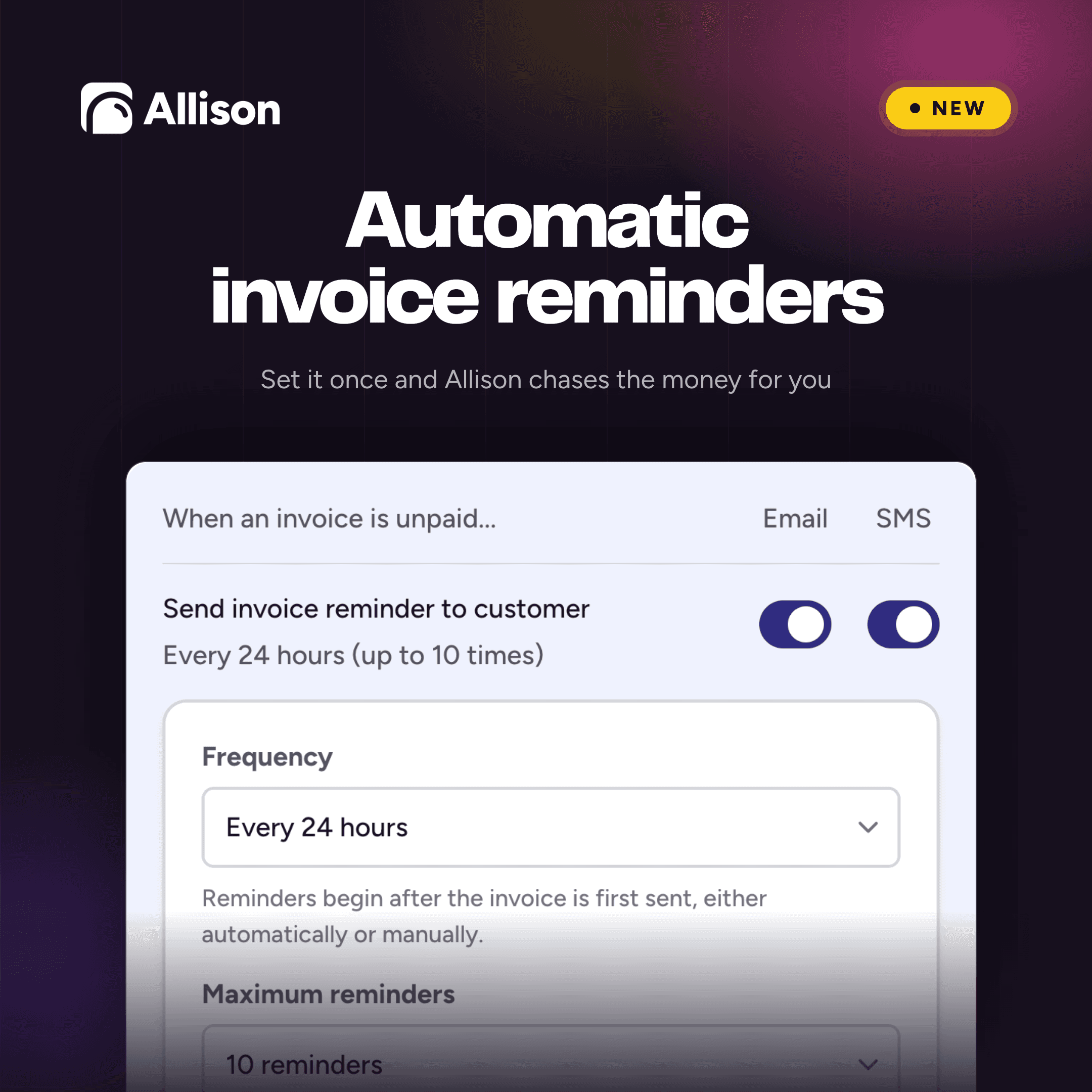
Reminders begin after the first invoice is sent. It does not matter whether Allison sent that invoice automatically or you sent it yourself.
When the invoice is paid, reminders for that invoice stop. Each send shows up on the job, in Job Activity.
You can change the frequency or the maximum later. Go back to Settings → Messages and update them.
Frequently asked questions
What is an invoice reminder for a cleaning business? A message, sent by email or SMS, that reminds a customer to pay an invoice that has already gone out and is still unpaid.
How do cleaning businesses usually collect unpaid invoices? Most still do it by hand: a note on a spreadsheet, a Sunday-night text, or nothing until the owner notices cash is tight. Automatic reminders send the same follow-up to every unpaid invoice on a schedule, then stop when it is paid.
Do I have to use both email and SMS in Allison? No. You can turn on email, SMS, or both.
When does the first Allison reminder go out? After the invoice is sent. The frequency you set is the gap between that invoice and the first reminder, then between each reminder after that.
Does it matter if I sent the invoice myself? No. Reminders work the same for invoices Allison sent automatically and invoices you sent manually.
What happens when the customer pays? Reminders stop. No more are sent for that invoice.
What happens when the maximum number of reminders is reached? Allison stops sending reminders for that invoice.
Where can I see that a reminder was sent? Open the job associated with that invoice and view Job Activity.
How do I change the schedule later? Go to Settings → Messages, update the frequency or the maximum, and save.
Invoice reminders are available now in Allison. Turn them on under Settings → Messages.
Run your cleaning business like the owner you already are.
Run your cleaning business like the owner you already are.
Book a Demo

See more practical cleaning advice in Google
Add Allison as a preferred source so our guides are more likely to appear in your Google results.